 AdCraft
Creative examples
One product reference
Three language directions
Explore Chinese, English and Japanese tumbler ads, and see how language, scene and composition work together.
The same product reference can support different advertising directions and languages. These selected AdCraft outputs show Chinese, English and Japanese copy alongside different scenes and layouts.
The starting image
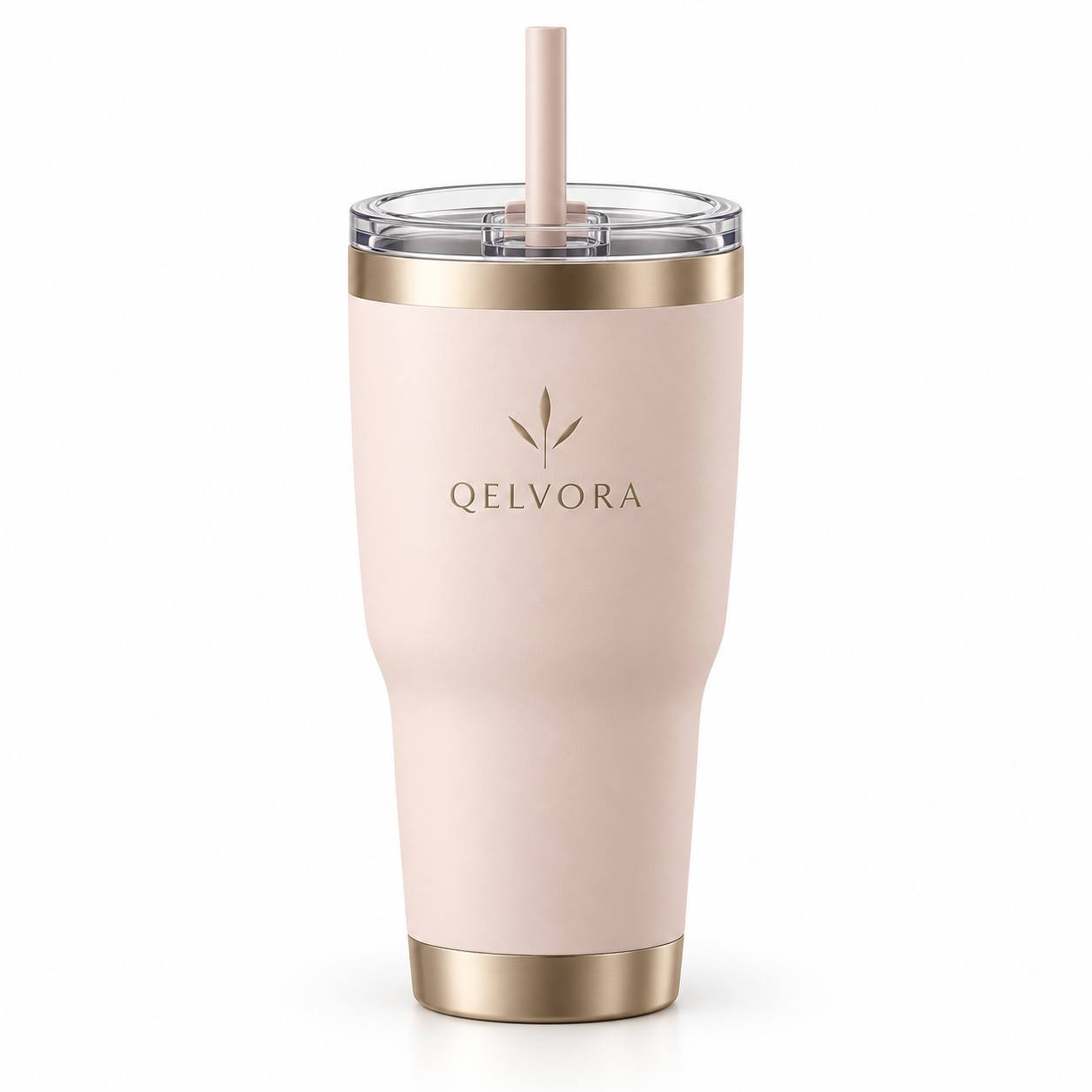
A pink tumbler on white
The reference makes the tumbler’s shape, pale pink body, metallic details and straw easy to see. Each selected ad builds a different composition around that product.
The examples below are AI-generated visuals chosen for this product demonstration. They are not a claim that one click automatically produces three languages at once.
Language is part of the composition
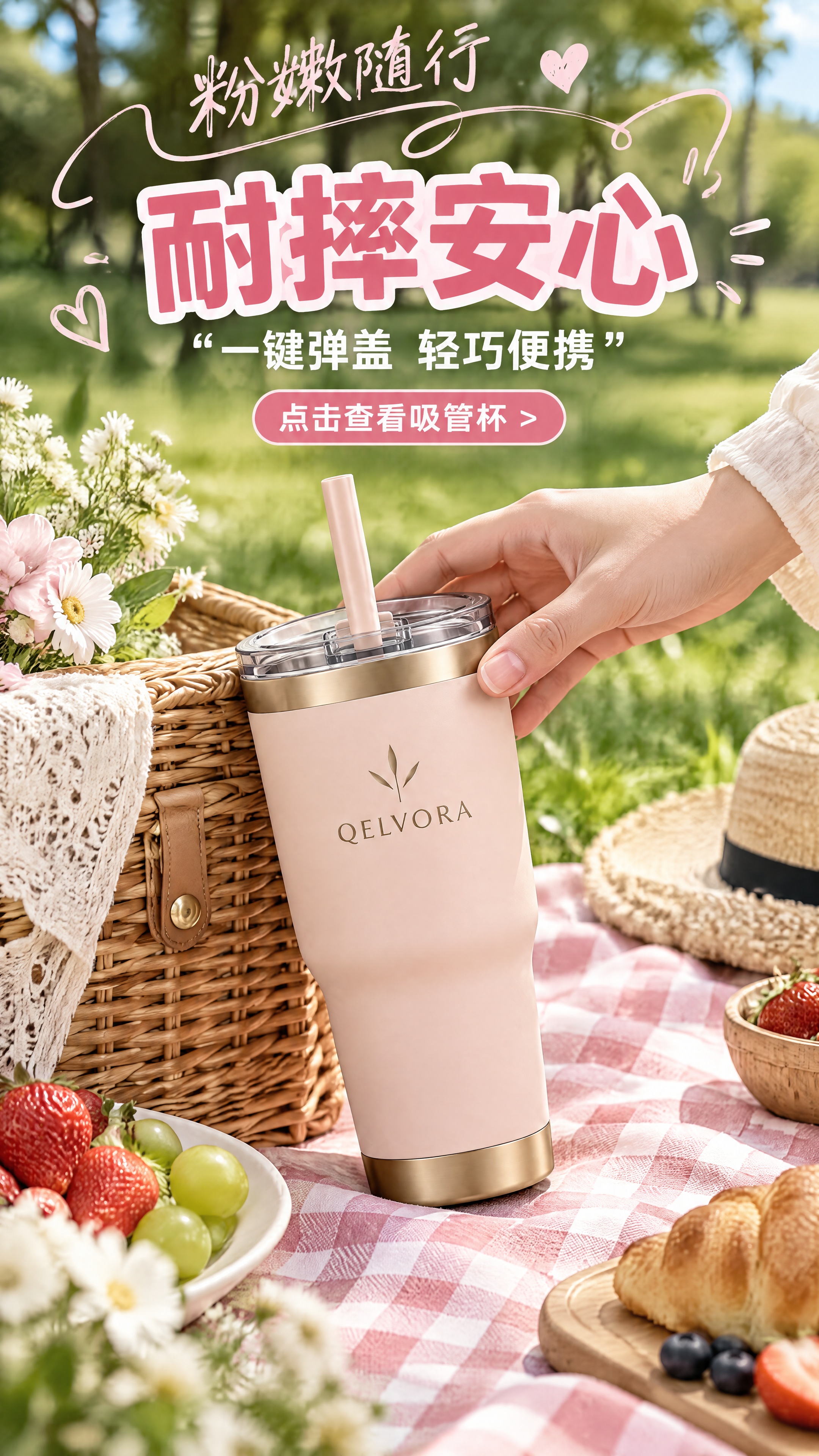
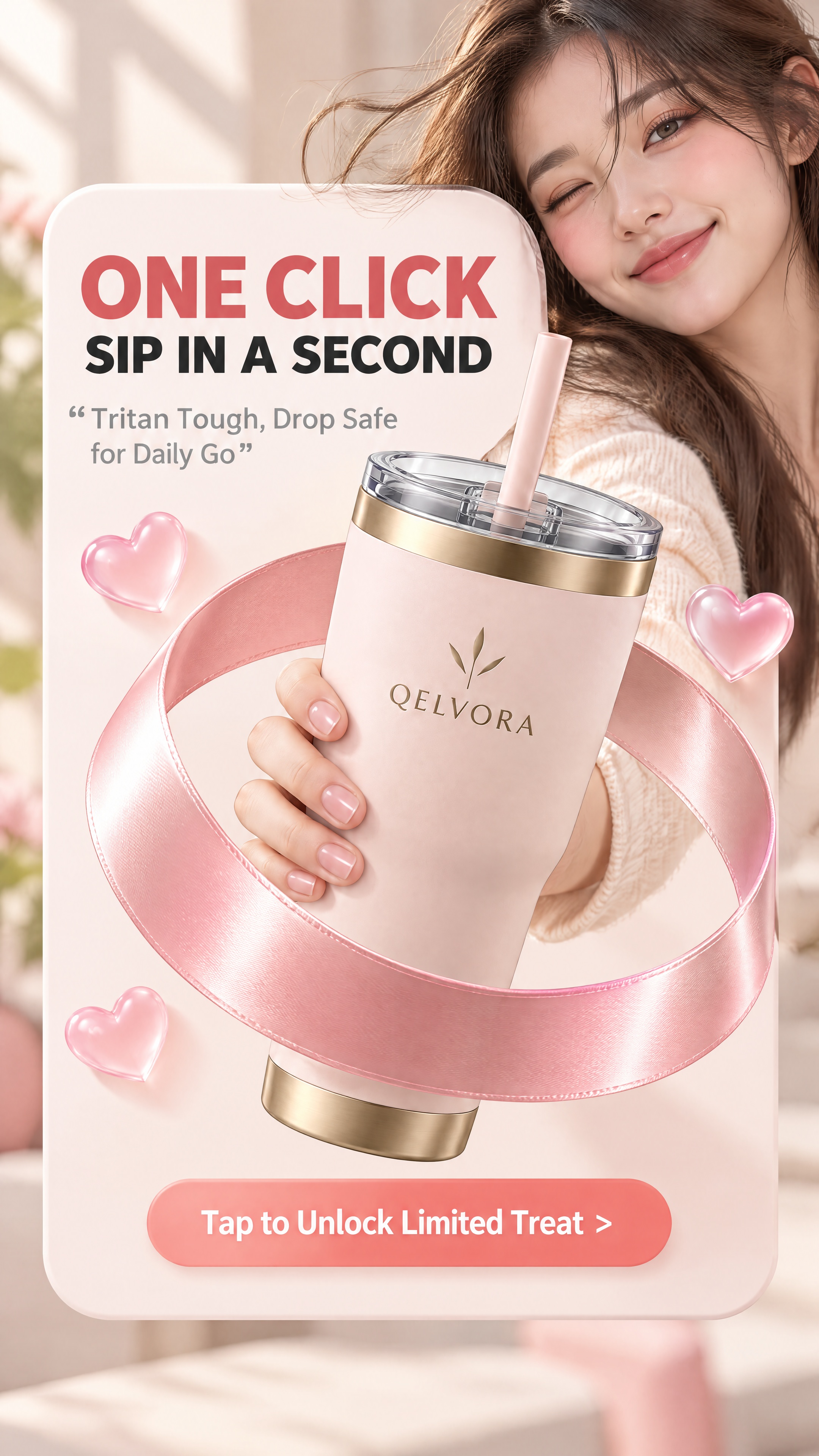
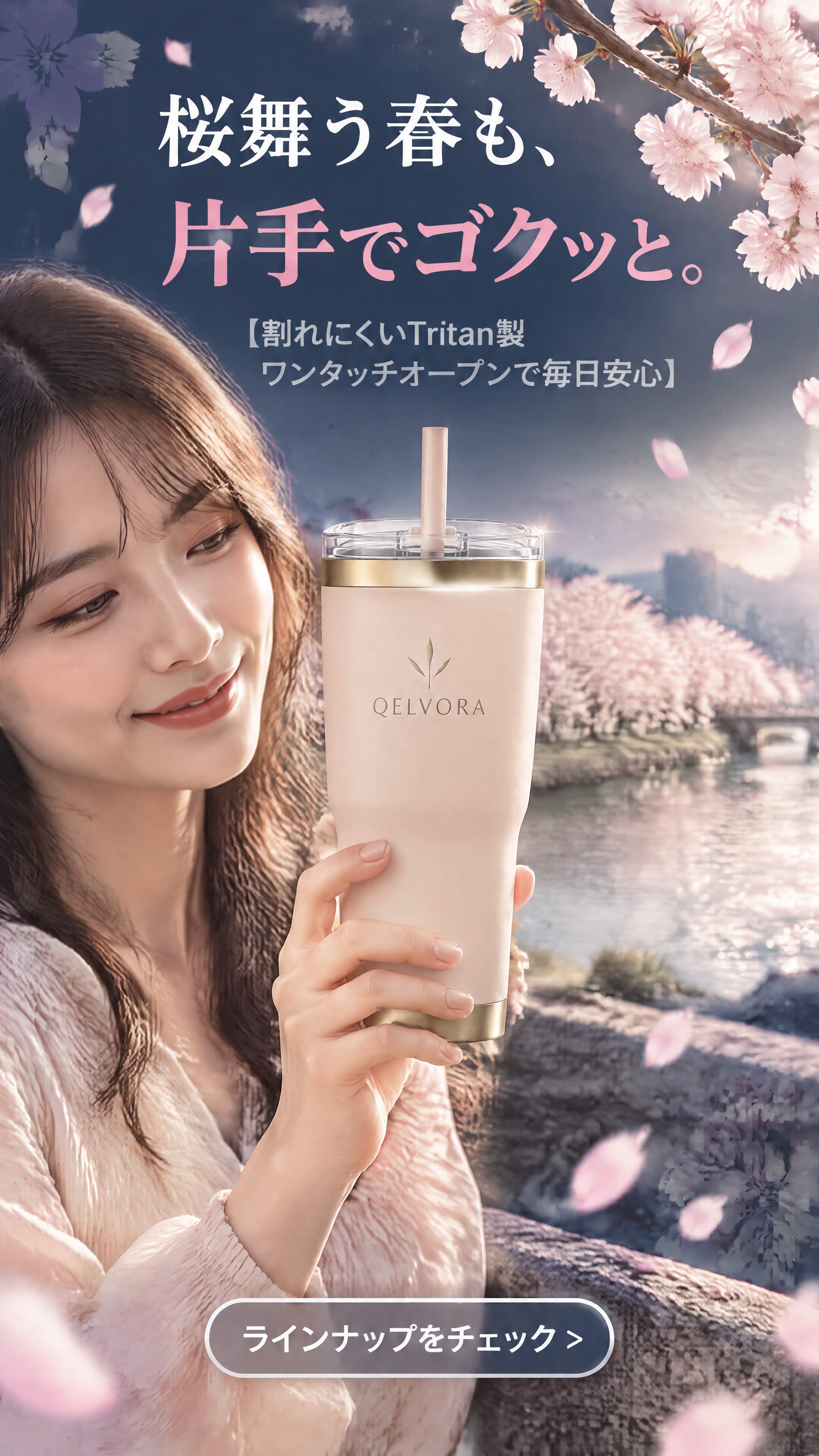
These are three different creative executions, not a word-for-word translation of one fixed poster. The Chinese image uses a large outlined headline and an outdoor product arrangement. The English example places a short headline inside a pale panel with a close product interaction. The Japanese example combines a seasonal scene with light text against a dark upper background.
Compare the space reserved for copy, the distance between the headline and product, and the placement of the call to action. Those choices change the reading order as well as the atmosphere of the ad.
| Element | What to compare |
|---|---|
| Headline | Chinese outlined display type, English block lettering, Japanese white and pink lines |
| Scene | Outdoor picnic, a warm close-up with ribbon, and a lakeside spring setting |
| Product | The same reference product remains the focal point, with different scale, angle and interaction |
| Call to action | A filled pink shape near the upper product area, a filled button at the bottom, and an outlined bottom button |
Create a version for the language you need
- Start from your product. Use a clear reference image and accurate product information.
- Specify the target language. Add a short creative note such as “Use English copy” or “Use Japanese copy.” Add a scene preference only if it matters to your brief.
- Generate that version. Review the image and copy, then select a result that fits the intended market and placement.
- Repeat for another language. Use the same product reference, change the language direction, and review the next version separately.
For a complete first-use walkthrough, read how to turn a product photo into an ad. Optional notes guide the generation; they do not guarantee identical layouts or exact execution across runs.
Review the message as well as the image
A multilingual ad needs more than recognizable lettering. Ask a fluent reader to check whether the headline and call to action sound natural and mean what you intend. Confirm product claims, promotional wording and any offer against information you can support.
Review the final image at the size your audience will see. A longer line may need a different hierarchy, and a different script may change the balance between the copy and the product. For a campaign that requires a consistent look, compare the versions side by side before choosing them.
The material, durability and promotional wording visible in these demonstration images illustrates generated ad copy. It is not independent verification of the tumbler’s properties or an actual offer.
About this demonstration
These three full-resolution images are selected AdCraft outputs from the product’s approved demonstration set. The gallery preserves the images as supplied. This page analyzes what is visible; it does not reconstruct their original creative notes or claim they were generated in a single session.
The examples show creative possibilities, not measured conversion rates, sales uplift or guaranteed results. AdCraft’s role is to help create advertising images with visuals, copy and layout; campaign selection and publication remain part of your workflow.
Read the product facts for a concise overview of AdCraft, its controls and support.
Promotional resources
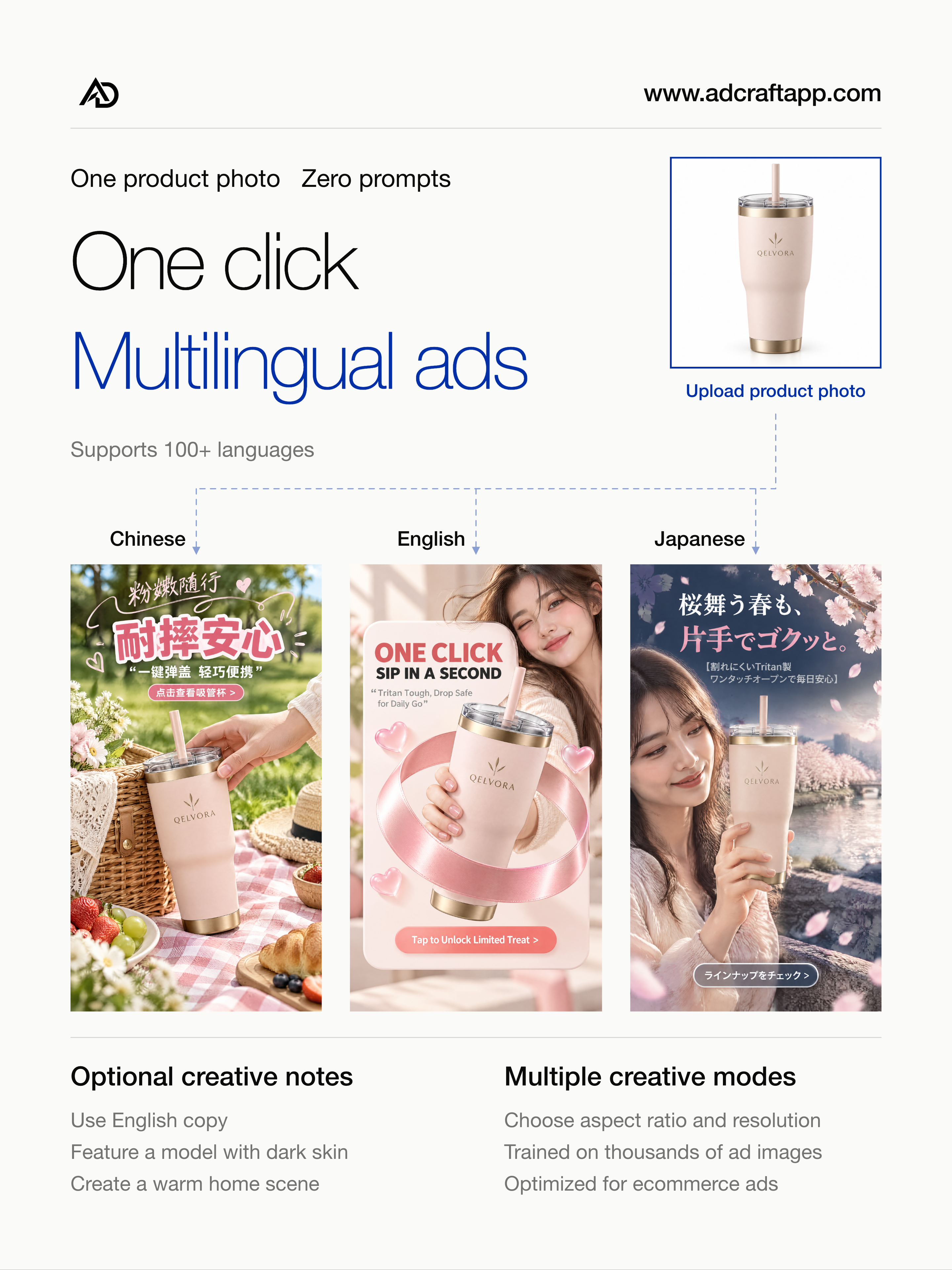
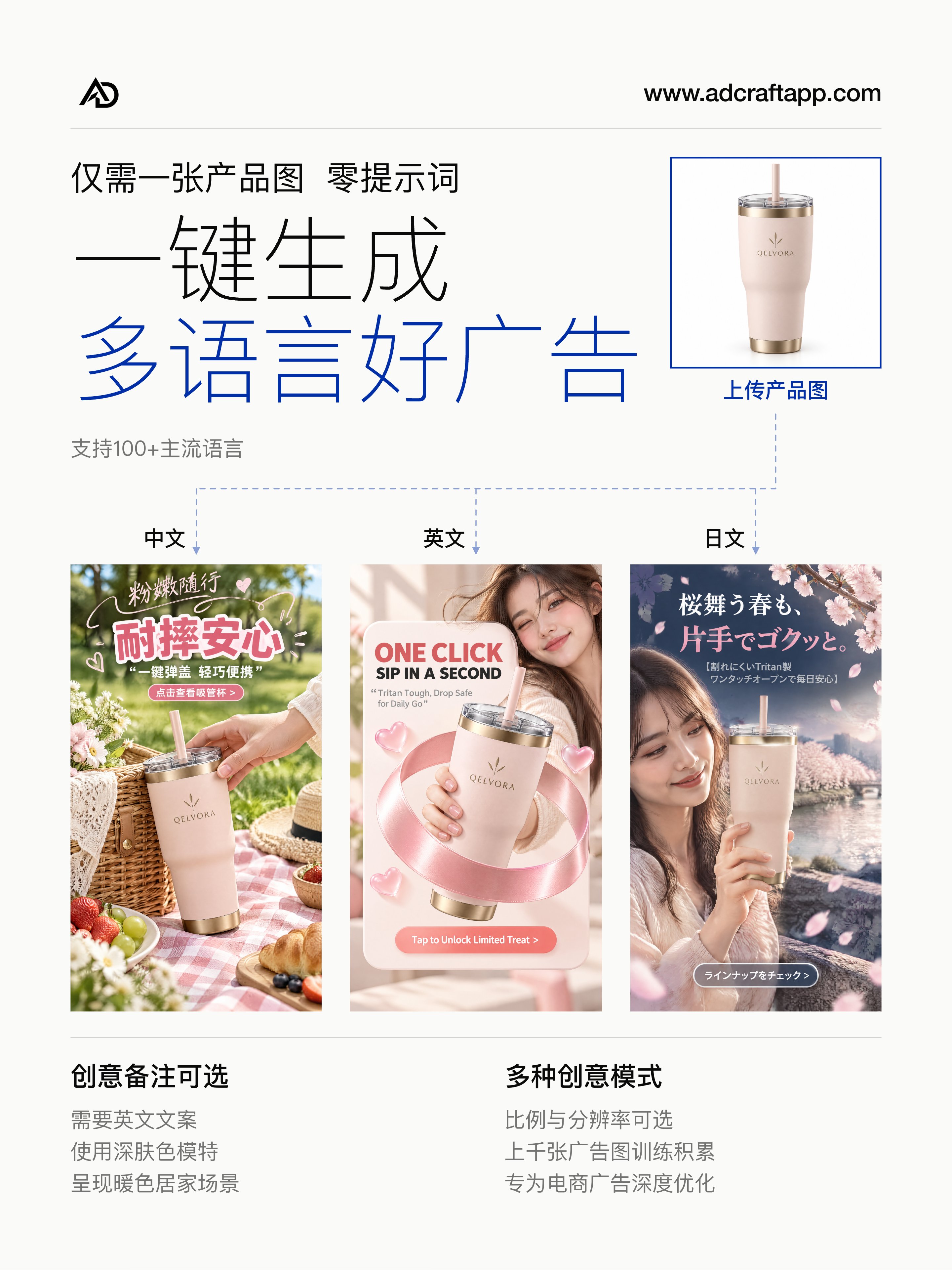
For a quick overview of the product, explore the approved promotional posters and films. The gallery above shows the individual example ads.
English overview
Chinese overview
Try your own language and visual direction
Today, you can also choose one of 27 optional style presets and add a creative note for the language you need. Keep both optional controls off when you want an automatic direction. The selected tumbler examples above illustrate multilingual creative; they are not demonstrations of these newly added presets.
Eligible new accounts receive 20 signup credits, subject to daily availability. See the credit details.